
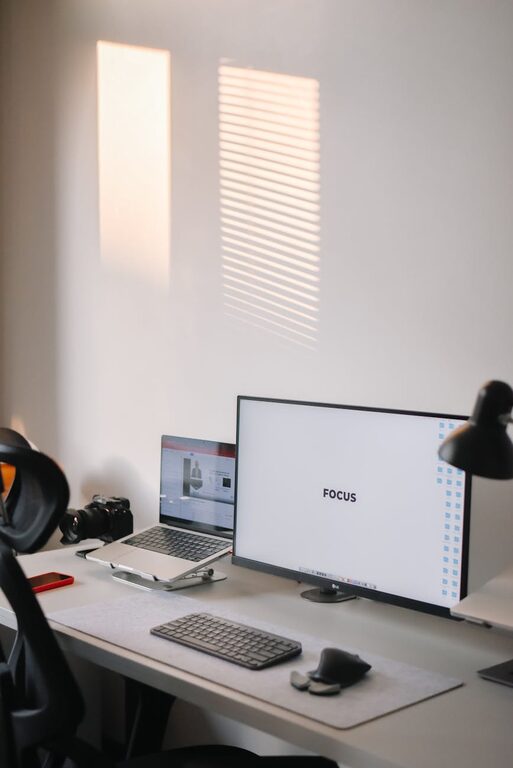
Creating a productive home workspace is essential for anyone working or studying from home. A well-organized, comfortable, and distraction-free area can help you maintain focus, reduce stress, and improve overall efficiency. Whether you have a dedicated room or just a small corner, these simple tips will help you design a workspace that works for you.
Choose the Right Location
Find Your Quiet Zone
Select a space in your home with minimal noise and foot traffic. This will help reduce distractions and allow you to concentrate better. If a quiet spot is hard to find, consider using noise-canceling headphones or soft background music to mask surrounding sounds.
Maximize Natural Light
Position your desk near a window if possible. Natural light can improve mood, reduce eye strain, and increase alertness. Just make sure the sunlight doesn’t cause glare on your screen.
Invest in Ergonomic Furniture
Comfortable Chair and Desk
Choose a chair that supports your lower back and allows your feet to rest flat on the floor. Your desk should be at a height where your elbows bend around 90 degrees while typing. These adjustments prevent discomfort and fatigue during long working hours.
Monitor Positioning
Place your computer monitor at eye level about an arm’s length away. This helps avoid neck and eye strain. If you use a laptop, consider using a stand and an external keyboard for better posture.
Organize Your Workspace
Declutter Regularly
Keep only essential items on your desk to avoid distractions. Use drawers, shelves, or containers to store supplies neatly. A clean workspace fosters a clear mind.
Use Storage Solutions
Invest in organizers like file holders, trays, or baskets to keep papers and materials sorted. Labeling shelves and drawers can also save time searching for items.
Optimize Lighting
Combine Natural and Artificial Lighting
Apart from natural light, use adjustable desk lamps for focused illumination. Soft, warm light can help reduce eye strain, especially during evening hours.
Avoid Screen Glare
Adjust your monitor and lights to prevent glare, which can cause headaches and reduce visibility. Anti-glare screen protectors are another helpful option.
Minimize Distractions
Set Boundaries
Communicate your work hours with family or housemates to avoid interruptions. Using a room divider or a “Do Not Disturb” sign can reinforce these boundaries.
Manage Digital Interruptions
Turn off non-essential notifications on your devices. Consider using apps that block distracting websites during work hours.
Personalize Your Space
Add Motivating Elements
Decorate your area with inspiring quotes, plants, or personal photos. Greenery can improve air quality and create a calming atmosphere.
Keep It Simple
While personalization is good, avoid overdecorating. A clutter-free, simple design promotes focus.
Establish a Routine
Stick to a Schedule
Set consistent work hours and take regular breaks. Use techniques like the Pomodoro method, working in intervals with short rests to maintain productivity.
Create Start and End Rituals
Begin your day by organizing your desk or reviewing your to-do list. At the end, clean up your space to create a fresh start for tomorrow.
Take Care of Your Wellbeing
Move Regularly
Incorporate stretches or short walks to reduce stiffness. Consider standing desks or balance boards if possible.
Stay Hydrated and Nourished
Keep a water bottle nearby and schedule time for healthy snacks. Avoid eating at your workspace to separate work from relaxation.
Use Technology Wisely
Reliable Internet and Tools
Ensure your internet connection is stable, and use productivity software that suits your needs, such as calendars, task managers, and communication tools.
Backup Important Data
Regularly save and back up work files to avoid data loss.
—
Creating a productive home workspace is a step toward improving your work or study habits and overall satisfaction with your daily routine. By thoughtfully arranging your environment, maintaining good habits, and taking care of your health, you’ll find working from home much more enjoyable and effective. Start small, and adjust your workspace as you discover what works best for you!