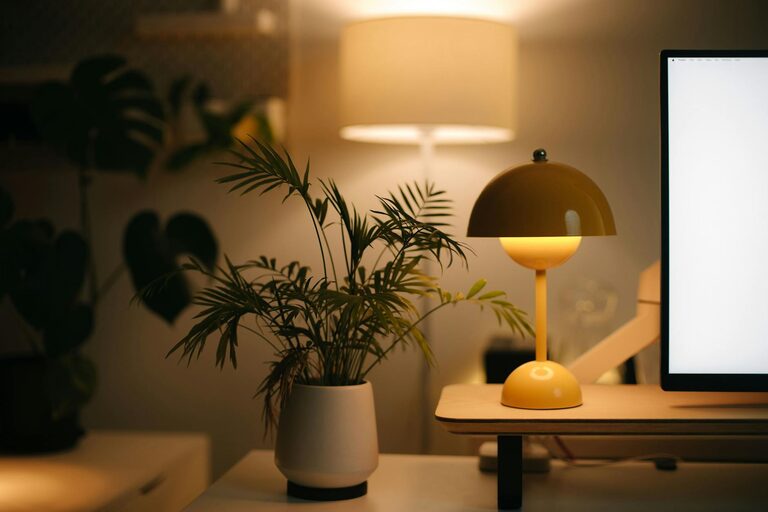

Creating a home workspace that feels cozy and encourages productivity can greatly improve your work-from-home experience. Whether you’re a full-time remote worker or someone who occasionally works from home, having a dedicated area tailored to your needs is essential. This guide offers practical tips to help you design a workspace that supports both comfort and efficiency.
Why a Cozy and Productive Workspace Matters
When your workspace is comfortable, you’re more likely to stay focused and motivated. Cozy elements reduce stress, while a well-organized setup prevents distractions. Together, they create a positive environment for getting work done.
Choose the Right Spot in Your Home
Prioritize Natural Light
If possible, select a location near a window. Natural light can boost your mood and energy levels throughout the day. Position your desk so that light doesn’t create glare on your screen, ideally coming from the side.
Consider Noise Levels
Choose a quiet area where household noise is minimal. If this isn’t possible, try noise-canceling headphones or soft background music to maintain focus.
Invest in Comfortable and Functional Furniture
Ergonomic Chair
A supportive chair can prevent back and neck pain. Look for chairs with adjustable height, lumbar support, and comfortable cushioning.
Desk Size and Setup
Pick a desk that fits your space and work needs. Ensure there’s enough room for your laptop, monitor, and any other tools you use. Cable management solutions can keep cords tidy and reduce clutter.
Add Cozy Elements Without Sacrificing Productivity
Soft Textiles
Incorporate a soft rug, cushions, or a throw blanket. These cozy touches can make your workspace feel inviting without causing distractions.
Personal Touches
Add photos, plants, or art that inspire you. Green plants improve air quality and bring life to the room, helping reduce stress.
Lighting Options
Besides natural light, use a combination of ambient and task lighting. A desk lamp with adjustable brightness can reduce eye strain during early mornings or late nights.
Organize to Minimize Clutter
Use Storage Solutions
Shelves, drawers, and bins help keep your workspace tidy. Labeling boxes or folders makes it easier to find what you need quickly.
Keep Only Essentials on Your Desk
A clean desk helps you focus. Store supplies you use less often out of sight but within easy reach.
Create a Routine and Set Boundaries
Define Work Hours
Establish clear start and end times for your workday to maintain balance.
Take Regular Breaks
Short breaks throughout the day can refresh your mind and reduce fatigue. Consider stretching or walking around during these times.
Use Technology to Your Advantage
Productivity Apps
Tools like task managers or time trackers help you stay organized and monitor progress.
Reliable Internet and Equipment
Ensure your internet connection is stable. Invest in good-quality peripherals like a keyboard and mouse for comfort.
Maintain Your Workspace
Clean Regularly
Set aside time each week to clean surfaces and dust. A tidy environment promotes clarity and focus.
Adjust as Needed
Periodically reassess your setup. As your work habits or needs change, be willing to make adjustments.
Final Thoughts
Designing a cozy and productive home workspace is a balance between comfort and functionality. By choosing the right location, investing in suitable furniture, incorporating personal and cozy touches, and keeping things organized, you create an environment where you can thrive. With a bit of planning and effort, your home workspace can become a place that inspires focus, creativity, and well-being.